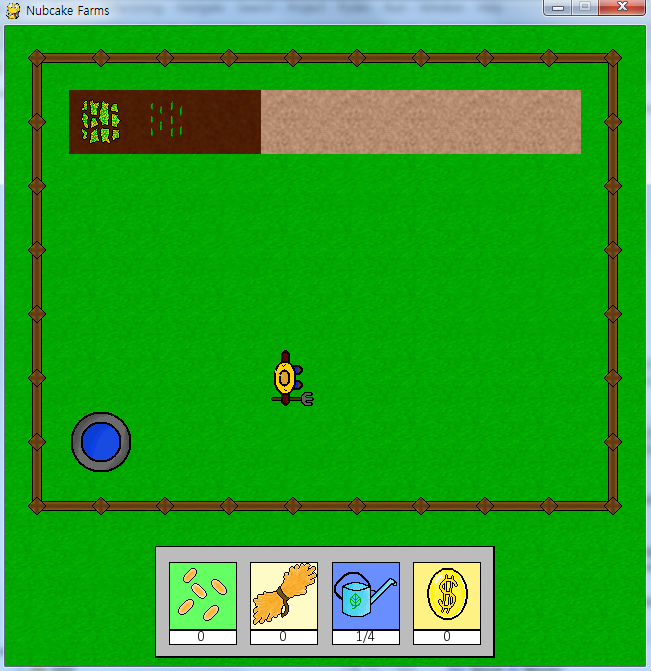
1. 밀 클래스 추가
class Wheat_Plant(pygame.sprite.Sprite):
def __init__(self, x, y):
self.stage_1_img = load_img('plot\wheat', 'wheat_1.png')
self.stage_2_img = load_img('plot\wheat', 'wheat_2.png')
self.stage_3_img = load_img('plot\wheat', 'wheat_3.png')
self.stage_4_img = load_img('plot\wheat', 'wheat_4.png')
pygame.sprite.Sprite.__init__(self)
self.image = self.stage_1_img
self.rect = self.image.get_rect()
self.rect.topleft = x, y
self.start_time = current_time
self.growthtime = self.get_growth_time()
self.stage = 1
plants.append(self)
allplants.add(self)
objectlist[self.rect.collidelist(objectlist)].occupy()
def get_growth_time(self):
return 5000 + random.randint(0, 5000) # Returns a random amount of time between 5 and 10 seconds
def update(self):
if self.stage < 4:
if time_in_ms() - self.growthtime >= self.start_time:
self.grow()
def grow(self):
self.stage += 1
exec('self.image = self.stage_%d_img' % (self.stage))
self.growthtime = self.get_growth_time()
self.start_time = current_time
def harvest(self):
objectlist[self.rect.collidelist(objectlist)].dry()
objectlist[self.rect.collidelist(objectlist)].unoccupy()
self.kill()
plants.remove(self)
farmer.wheat += 1
def __init__(self, x, y):
self.stage_1_img = load_img('plot\wheat', 'wheat_1.png')
self.stage_2_img = load_img('plot\wheat', 'wheat_2.png')
self.stage_3_img = load_img('plot\wheat', 'wheat_3.png')
self.stage_4_img = load_img('plot\wheat', 'wheat_4.png')
pygame.sprite.Sprite.__init__(self)
self.image = self.stage_1_img
self.rect = self.image.get_rect()
self.rect.topleft = x, y
self.start_time = current_time
self.growthtime = self.get_growth_time()
self.stage = 1
plants.append(self)
allplants.add(self)
objectlist[self.rect.collidelist(objectlist)].occupy()
def get_growth_time(self):
return 5000 + random.randint(0, 5000) # Returns a random amount of time between 5 and 10 seconds
def update(self):
if self.stage < 4:
if time_in_ms() - self.growthtime >= self.start_time:
self.grow()
def grow(self):
self.stage += 1
exec('self.image = self.stage_%d_img' % (self.stage))
self.growthtime = self.get_growth_time()
self.start_time = current_time
def harvest(self):
objectlist[self.rect.collidelist(objectlist)].dry()
objectlist[self.rect.collidelist(objectlist)].unoccupy()
self.kill()
plants.remove(self)
farmer.wheat += 1
작성중
2. Farmer 클래스의 interact() 함수 업데이트
def interact(self):
checkspot = self.rect.move((-64 * (self.facing == 'left') + 64 * (self.facing == 'right')), (-64 * (self.facing == 'up') + 64 * (self.facing == 'down'))) # Determines the block the farmer is facing
found_object = checkspot.collidelist(objectlist)
found_plant = checkspot.collidelist(plants)
if found_object != -1 and found_plant == -1:
entity = objectlist[found_object]
if entity.__class__.__name__ == 'Plot':
plot = entity
if plot.state == 'dry' and self.water > 0:
plot.wet()
self.water -= 1
elif plot.state == 'wet' and self.seeds > 0:
plant = Wheat_Plant(checkspot.left, checkspot.top)
self.seeds -= 1
elif entity.__class__.__name__ == 'Well':
well = entity
self.water = self.water_max
elif entity.__class__.__name__ == 'WateringCan':
wateringcan = entity
self.water_max = 4
wateringcan.kill()
hud_sprites = allhudsprites.sprites()
for sprite in hud_sprites:
if sprite.name == "Watering Can":
sprite.image = load_img('HUD', 'watering_can_large.png')
objectlist.remove(wateringcan)
elif found_plant != -1:
plant = plants[found_plant]
if plant.stage == 4:
plant.harvest()
checkspot = self.rect.move((-64 * (self.facing == 'left') + 64 * (self.facing == 'right')), (-64 * (self.facing == 'up') + 64 * (self.facing == 'down'))) # Determines the block the farmer is facing
found_object = checkspot.collidelist(objectlist)
found_plant = checkspot.collidelist(plants)
if found_object != -1 and found_plant == -1:
entity = objectlist[found_object]
if entity.__class__.__name__ == 'Plot':
plot = entity
if plot.state == 'dry' and self.water > 0:
plot.wet()
self.water -= 1
elif plot.state == 'wet' and self.seeds > 0:
plant = Wheat_Plant(checkspot.left, checkspot.top)
self.seeds -= 1
elif entity.__class__.__name__ == 'Well':
well = entity
self.water = self.water_max
elif entity.__class__.__name__ == 'WateringCan':
wateringcan = entity
self.water_max = 4
wateringcan.kill()
hud_sprites = allhudsprites.sprites()
for sprite in hud_sprites:
if sprite.name == "Watering Can":
sprite.image = load_img('HUD', 'watering_can_large.png')
objectlist.remove(wateringcan)
elif found_plant != -1:
plant = plants[found_plant]
if plant.stage == 4:
plant.harvest()
작성중
3. while 문 업데이트
코드를 참고한다. 코드를 참고하기 전 어디에 어떤 코드를 추가해야 밀의 상태가 업데이트 되고 그려질지 생각해본다.

 [농장게임 만들기] 10. 상점을 추가하자
 [농장게임 만들기] 8. HUD에 텍스트를 표시하자